CS-Cart Payment add-on
Banorte Payment for CS-Cart
Accept credit and debit cards in CS-Cart and Multi-Vendor through Banorte's encrypted payment window, with optional Meses Sin Intereses installments.
- StatusSubmitted to the CS-Cart Marketplace, awaiting approval
- Price$199
- Works withCS-Cart and Multi-Vendor 4.21.x
- LanguagesEnglish and Spanish
What it does
Card payments through Banorte, inside your CS-Cart store
This add-on adds a credit and debit card payment method to CS-Cart and Multi-Vendor using Banorte's Ventana de Comercio Electrónico (Cifrada), the hosted payment window of Banorte Multicobros / Payworks.
Card entry, 3D Secure and Cybersource validation all happen inside Banorte's window, so card data never touches your store. Shoppers can pay in installments when you offer them, and you decide which orders qualify.
Features
What is included
Lightbox checkout
Banorte's encrypted payment window opens straight after the shopper places the order. Card entry, 3D Secure and Cybersource validation happen inside Banorte's window, so card data never touches your store.
Meses Sin Intereses (MSI)
Optional interest-free installments of 3, 6, 9, 12, 18 or 24 months, with a minimum order total, an end date and limits by product or category.
Test and live modes
Separate Live and Test credential sets. In test mode, Banorte's AUT, DEC and RND behaviours let you try an approval, a decline or a random result without charging a card.
Order status mapping
Choose the order status for success, failure, pending and cancel. A cancelled window leaves the order open so the shopper can retry.
English and Spanish
English and Spanish language variables are included with the add-on.
Store Builder and Multi-Vendor
Works with CS-Cart and CS-Cart Multi-Vendor 4.21.x. On Multi-Vendor it is one store-wide payment method, configured by the marketplace operator.
Encrypted requests and responses
Requests and responses are encrypted as Banorte's Cifrada specification requires (RSA-OAEP-SHA256 key exchange, AES-128-CTR payload).
Settled once, approved only
An order is settled only once, and only a Banorte approval marks it paid. Banorte's authorization code is saved on the order.
Retry payment
If the shopper closes the window, the order stays open and a Retry payment button is shown.
How it works
The checkout flow, step by step
- 1
The shopper places the order
At checkout the shopper chooses the Banorte payment method and places the order.
- 2
The add-on prepares the request
It builds the payment request, fills the billing fields from the order's billing address, encrypts it and stores the keys on the order.
- 3
Banorte's window opens
The shopper is taken to a page that opens Banorte's payment window, loaded from Banorte's own server.
- 4
The shopper pays
Card entry and 3D Secure happen inside Banorte's window. If installments are offered, the shopper can choose them there.
- 5
The result comes back
Banorte returns an encrypted response. The add-on decrypts it and sets the order to success, pending or failure.
- 6
Cancelled? Try again
If the shopper closes or cancels the window, the order is left open and a Retry payment button is shown.
Screenshots
The add-on settings
Sensitive values are blurred.
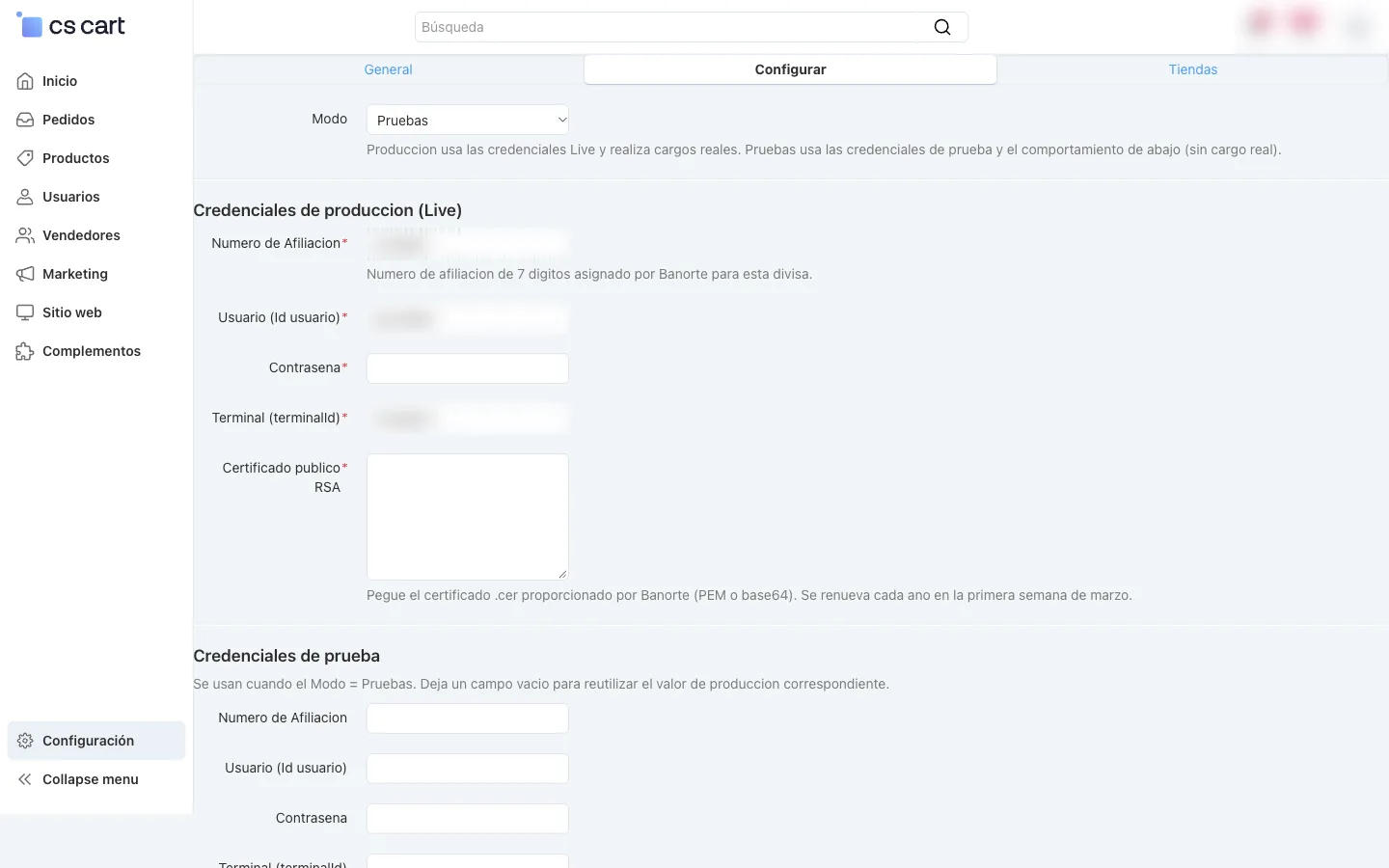
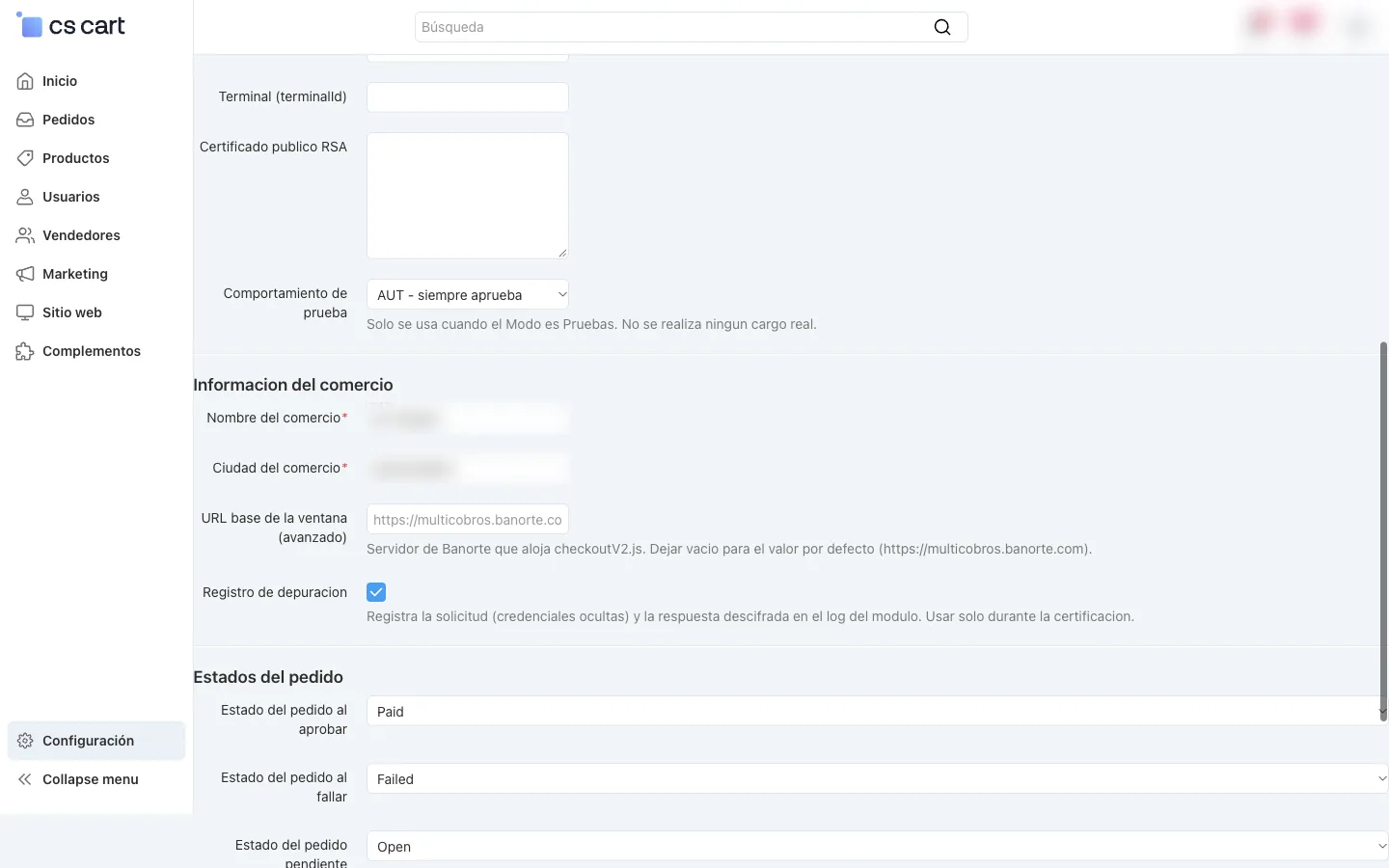
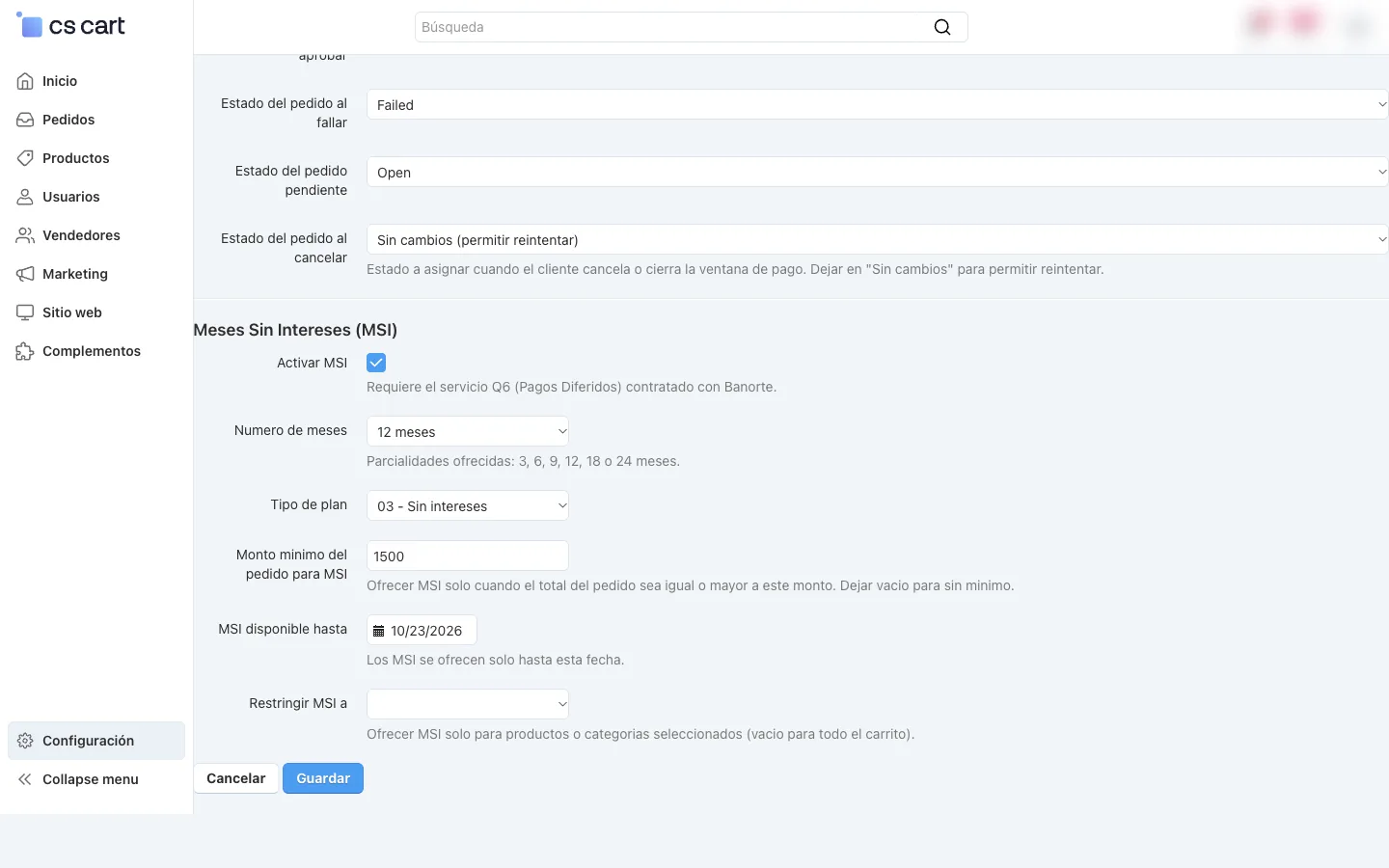
Settings
Configuration at a glance
- Mode
- Live (real charges) or Test (no card charged), each with its own credentials.
- Credentials
- Affiliation number, user, password, terminal ID and RSA certificate. Test fields fall back to the Live values when left blank.
- Merchant information
- Merchant name and city, optional lightbox address and a debug log for use during certification.
- Order statuses
- Success, failure, pending and cancel. Defaults: Processed, Failed, Open, and leave unchanged on cancel.
- Installments
- Months, plan type (interest-free or with interest), minimum order total, end date, and whole cart, products or categories.
Requirements
What you need
- CS-Cart or CS-Cart Multi-Vendor 4.21.x.
- A Banorte e-commerce affiliation for the Ventana de Comercio Electrónico (encrypted window), with the affiliation number, an execution user and password, a terminal ID and Banorte's RSA public certificate (.cer). Your Banorte executive provides these.
- For installments: the Q6 (Pagos Diferidos) service contracted with Banorte on the same affiliation.
- Banorte's certification of the integration before you switch to Live mode.
Certification
Banorte certifies before live mode
Banorte requires certification of any custom or third-party integration before production. You fill in Banorte's certification request and test matrix using your test transactions. Banorte's Payworks lab reviews them and either issues a certification letter or asks for corrections. Banorte also asks you to change the initial admin password and create a dedicated execution-only user for the integration.
Once you have the letter, you enter the Live credentials, set Mode to Live and turn debug logging off.
Installation
From package to live payments
- 1
Install the add-on
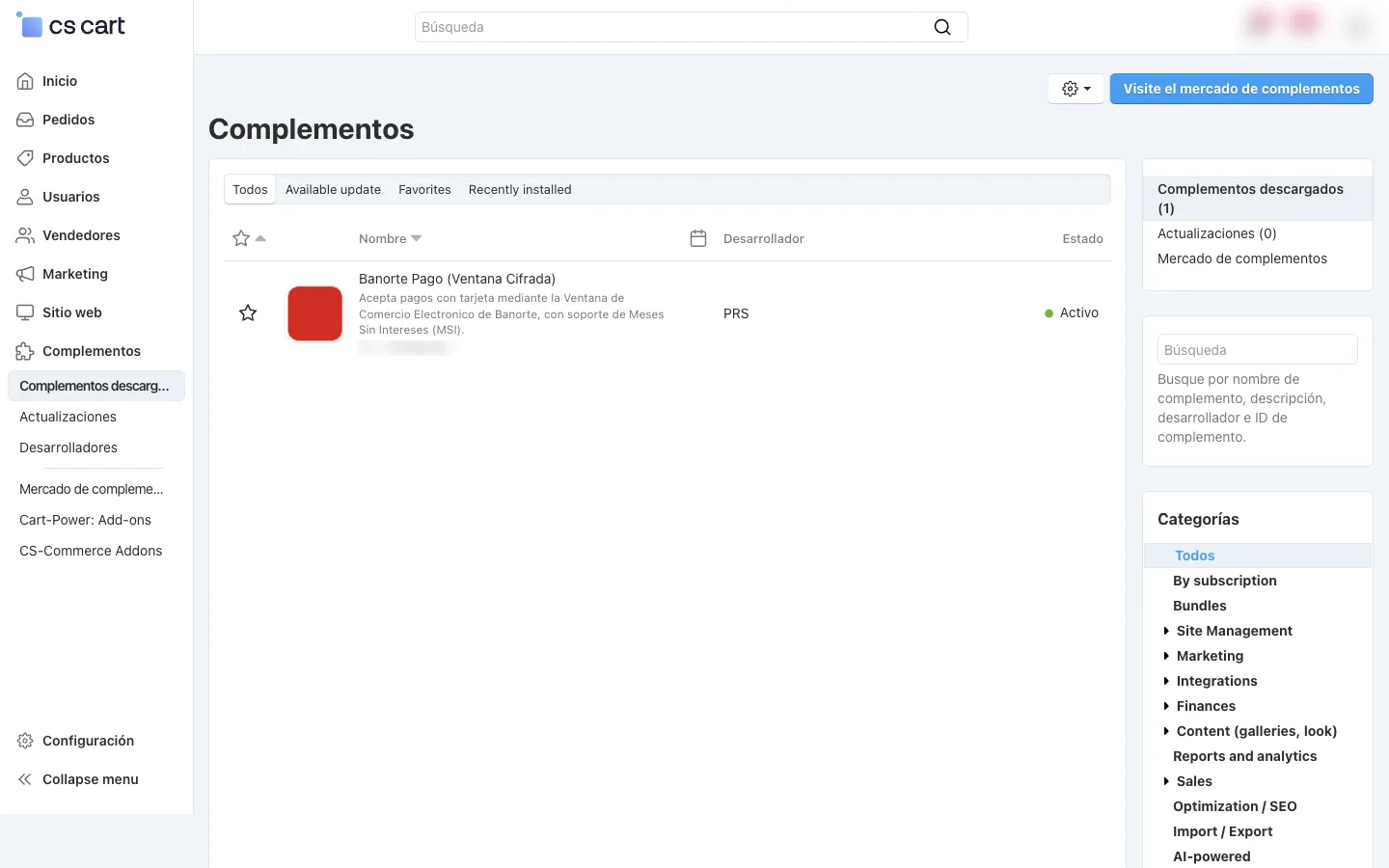
In the admin panel open Add-ons, Manage add-ons, click + and choose Local. Upload the package zip. The add-on appears as Banorte Payment (Ventana Cifrada) with status Active. The installer adds the order fields it needs and registers the payment processor.
- 2
Create the payment method
Under Administration, Payment methods, add a method, choose Banorte (Ventana Cifrada) as its processor and save. A Configure tab appears.
- 3
Configure it
Choose the mode, enter the credentials and certificate, set the merchant name and city, choose the order statuses and, if you have the installment service, switch on MSI and set the months, plan type, minimum total and dates.
- 4
Test
Keep Test mode on and run approved, declined and cancelled payments. Keep a note of each test: Banorte asks for the details during certification.
- 5
Get certified, go live
Banorte reviews your documents and test transactions and issues a certification letter. Then fill in the Live credentials with the production certificate, set Mode to Live and turn debug logging off.
Good to know
The result returns through the browser
There is no server-to-server callback. An order settles when the shopper's browser hands Banorte's response back to your store.
Renew the certificate each year
Banorte renews its RSA certificate every year in the first week of March. Paste the new one into the settings then.
One currency per payment method
Banorte issues a separate affiliation for each currency, so one payment method serves one currency.
No refunds from the add-on
The add-on takes payments. It does not process refunds or cancellations through the API.
FAQ
Questions about the add-on
Which CS-Cart versions does it support?
CS-Cart and CS-Cart Multi-Vendor 4.21.x.
Does card data pass through my store?
No. Card entry, 3D Secure and validation all happen inside Banorte's window, so card data does not touch your store.
Can I test before taking real payments?
Yes. Test mode never reaches the card processor, so nothing is charged. You can make Banorte approve, decline or randomly decide a test payment.
Do I need Banorte's approval to go live?
Yes. Banorte requires certification of any custom or third-party integration before production. You send Banorte your test results and, once it issues the certification letter, you switch to Live mode.
Do I need a special Banorte service for installments?
Yes. Meses Sin Intereses needs the Q6 (Pagos Diferidos) service contracted with Banorte on the same affiliation. Banorte decides whether a plan is valid for a given card and amount.
How do I get it?
The add-on has been submitted to the CS-Cart Marketplace and is awaiting approval. Meanwhile, email info@lyrakart.com and we will send you the package.
Get Banorte Payment for CS-Cart
Submitted to the CS-Cart Marketplace and awaiting approval. Price $199. Email us for the package and your questions about setup.
Banorte is a trademark of its owner; Lyrakart is not affiliated with Banorte. CS-Cart is a trademark of its owner.